 RC
RCThe Ultimate Goal - Directional Subtitles
When I came up with this project, part of the inspiration was the subtitles in Minecraft. The way these subtitles work is that they narrate the sounds in your world, but provide a little arrow which tells you whether it’s coming from your right or left side.
While this is a pretty primitive system, as the only information you get is whether the sound is straight ahead, left, or right, other implementations, such as the one in Fortnite, show a \(360^\circ\) wheel in the center of your screen which tells you where sounds are coming from in a more precise way.
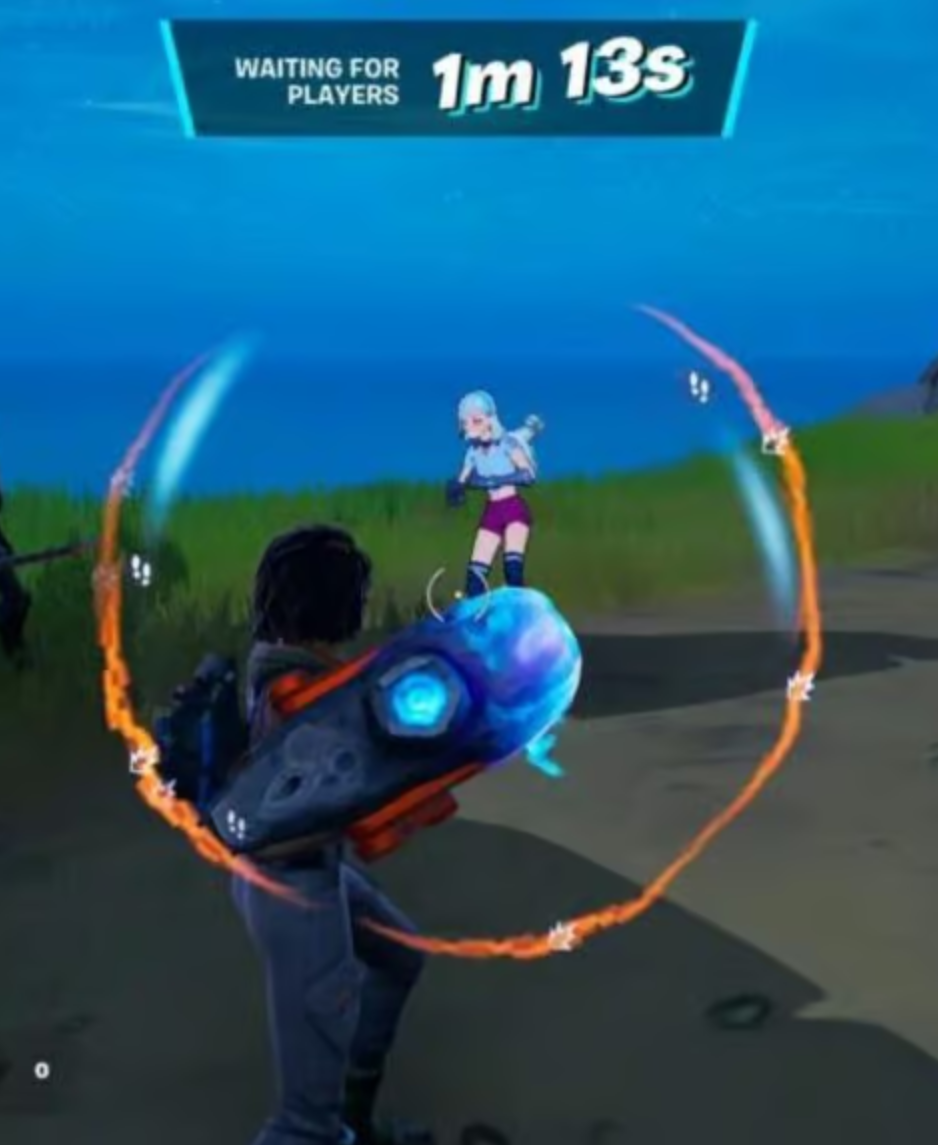
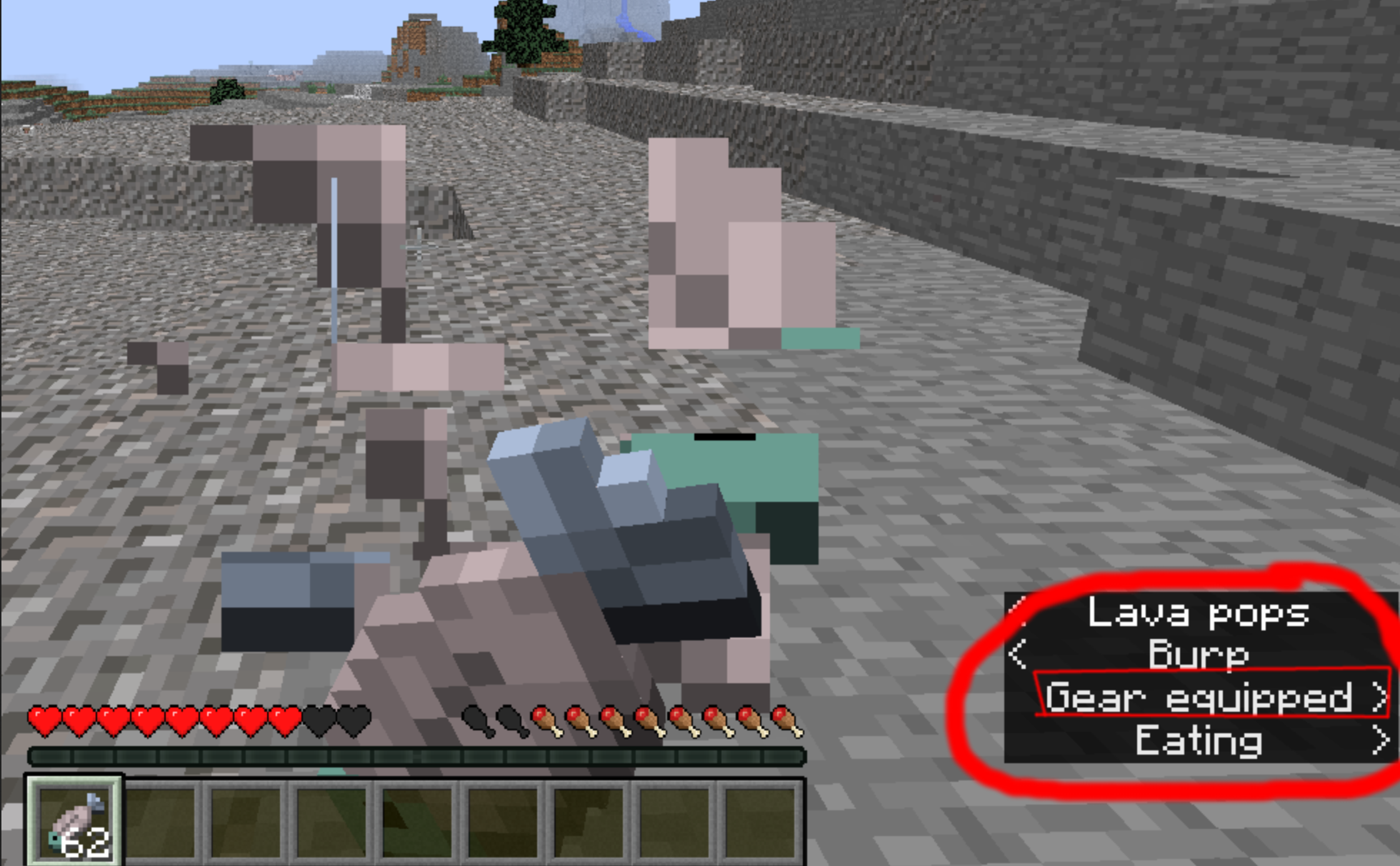 Here are some images of the audio subtitles in both Fortnite\(^©™\) and Minecraft\(^{™®}\).
In the context of videogames, these subtitles enable people with hearing issues like mine to be able to play the game without less of an inherent disadvantage to other players, allowing for higher accessibility, and they also allow anyone to play while their audio is turned off.
I believe that something similar in the real world has the potential to improve the quality of life of many people (myself included), especially with the advent of augmented reality glasses and VR headsets.
How WaveTrace Enables This
When I get WaveTrace working, it should allow me to estimate the intensity and direction from which each frequency comes from, for many sounds at once (see this post for an explanation of how this could work). Having access to this data is useful, since it would already allow a primitive “sound compass” to be created, which shows in which directions (yes, directions plural) sound comes from.
Creating some sort of machine learning algorithm on top of this primitive layer is a long term goal of this project, and if it is successful, it should be able to classify each sound being detected as well as estimate the direction the sound comes from, allowing directional subtitles to be a reality, and allowing people who are hard of hearing in one or both ears (such as meeee :P) to live their lives with less hassle.