 RC
RCHello World
This is the first blog post I’m writing with jekyll :D Hooray!!
(Jekyll is the platform I used to build this site.)
Progress is being made. Yesterday I finished the jekyll getting started tutorial, and today I’m going to figure out how to make the page look nicer, as currently we’re rocking the default style-less HTML look:
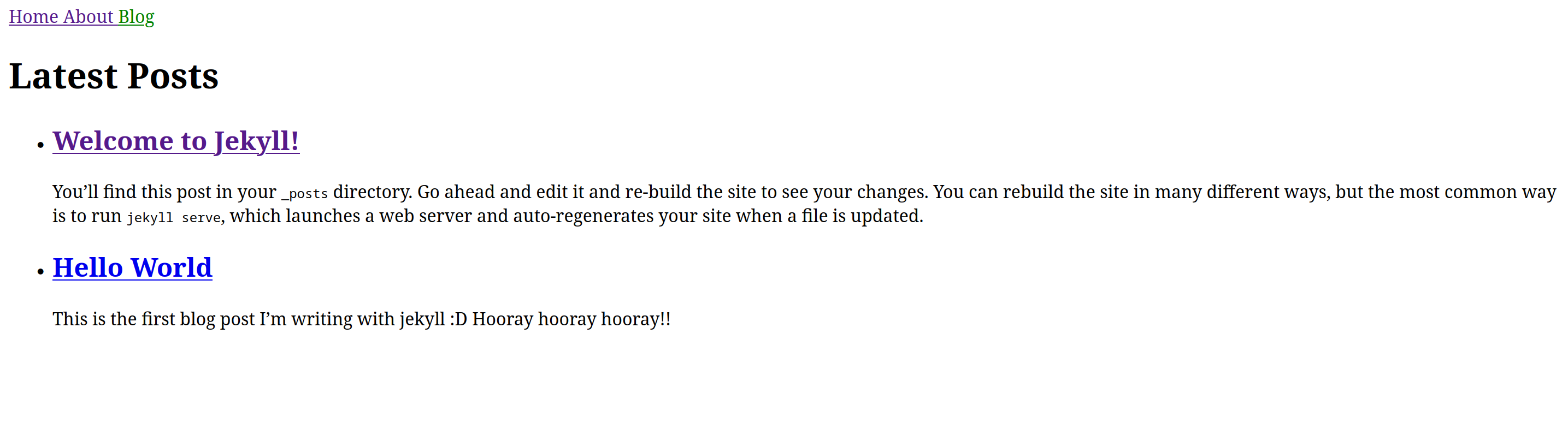
I copied over the default Jekyll theme files (everything in the _layouts, _sass, and _includes directories for those who are familiar with Jekyll), which make the site look like this:

I edited the default color scheme and made some more changes to the theme, resulting in the website you see now. I also added my favourite font, Computer Modern, which is used in \(\LaTeX\), by following this guide.
This is what the website looks like after these changes:

Now that’s more like it!
(Note that I also added the code from this forum post in order to render the above LaTeX logo, and to enable support for math equations throughout my posts. Also, I took the above picture after making other changes to the site’s structure, hence the new menu items.)